
The service light reset on the Vauxhall Adam 2016 is done through the instrument cluster menu using the stalk buttons - no diagnostic tools required.
The display will show "Change Oil Soon" or similar. Follow this procedure after completing an oil service to reset the oil life counter to 100%.
When You Need This Job
- Oil service reminder on the display
- Service light or spanner symbol illuminated
- Oil life showing 0% in the instrument menu
- Service recently completed and light needs clearing
Why You're Doing This Job
The Adam's "InSP" or spanner reminder is the GM service-interval system telling you the oil life counter has reached zero. The Adam uses an algorithmic oil-life calculation - short trips, cold starts and high revs use the budget up faster than steady motorway miles, so it doesn't simply count down miles. Once the warning lights up at every start, it can't be missed, and it will persist even if you've just had the oil changed because the system has no way of knowing the service was actually done. From around 2010 onward most Vauxhall/Opel models allow a stalk-menu manual reset like the one below; older or higher-spec cars may need an OBD2 service tool to clear the counter cleanly. Leaving the reminder lit isn't a fault, but it does mask any new warning lights that might pop up alongside it, and second-hand buyers often knock money off a car whose dash still shows uncleared service alerts.

DIY Car Service Guide
- Full service at home: oil, filters, plugs, fluids
- Which jobs are safe to DIY and which are not
- What a garage charges for each item, so you know the saving
Instant PDF download · works on phone, tablet or PC · 7-day money-back guarantee
You Need This Reset If You See
- "InSP" or spanner symbol on the cluster at every start-up
- "Change Oil Soon" / "Service" message at ignition-on
- Oil Life Remaining showing 0% in the cluster menu
- Oil and filter just changed but the warning is still lit
- Buying or selling the car and the dash still shows the reminder
- New warning lights becoming hard to spot because the service icon stays on
DIY vs Garage Cost - UK 2026
A UK independent garage will typically charge £30–£50 just to clear the service light if you've done the oil change yourself. Some quietly bundle it into a full service for free; others list a "reset / coding" fee of around £25–£35 even on a five-minute job. A main Vauxhall dealer is the most expensive at up to £85, with labour billed in 30-minute increments at £100+/hour. DIY is genuinely free on the Adam - the trip-stalk menu method below works on virtually every Adam regardless of trim. If your car somehow doesn't accept the manual sequence, an entry-level Vauxhall-capable OBD service tool such as the Foxwell NT204 or iCarsoft OP V2.0 costs £30–£70, handles service resets, EPB calibration and basic live data, and pays for itself after one or two uses. Over the typical 7-year Adam ownership lifecycle, the saving is comfortably £200+.
Tools You'll Need
Step-by-Step Guide
Turn the ignition on without starting the engine
Press the start button once without pressing the brake pedal, or turn the key to position II. The display will show the service reminder message.
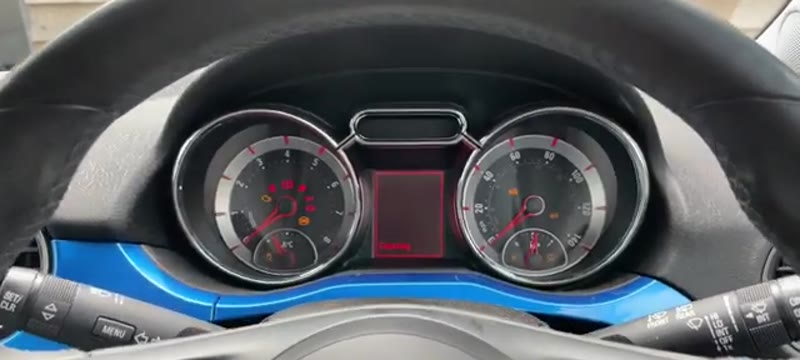
Press the END button on the stalk to bring up the display menu
The END button is on the end of the indicator/wiper stalk. Press it to activate the instrument cluster menu.
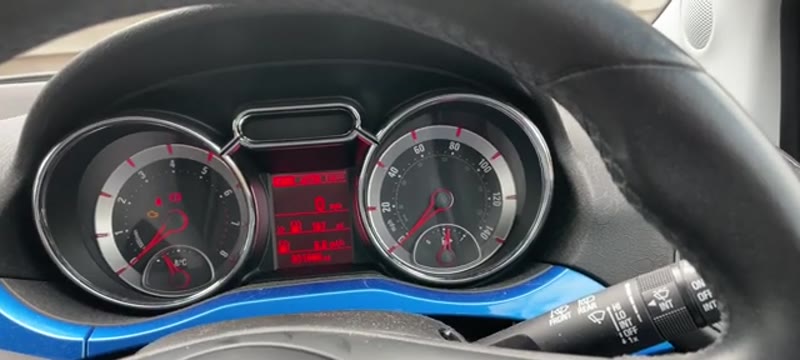
Press the MENU button once to navigate to the car icon
The menu button is also on the stalk. One press takes you to the vehicle settings section.
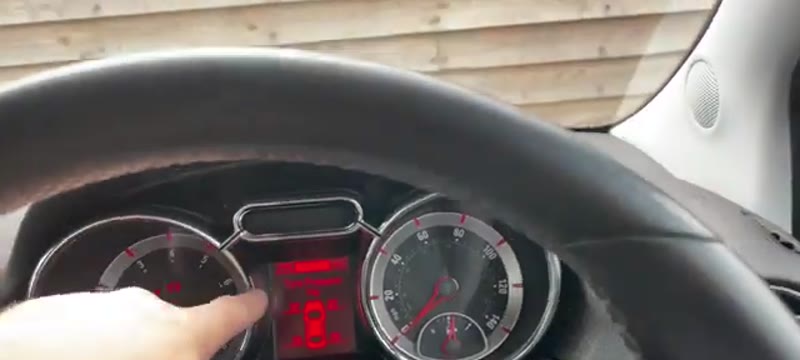
Scroll to "Oil Life Remaining" using the scroll wheel
Use the scroll wheel on the stalk to scroll through the options until you reach "Oil Life Remaining" - it will show 0%.
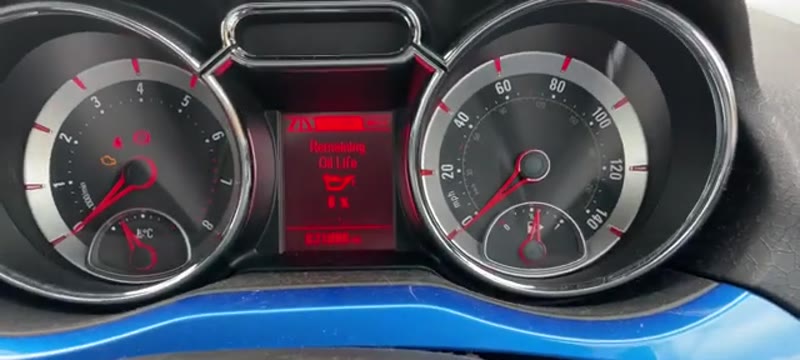
Press and hold the END button to start the reset
Press and hold the END button. A confirmation message will appear asking if you want to reset.
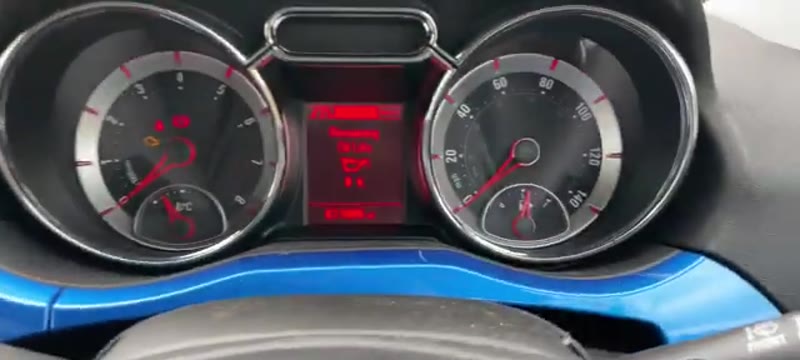
Scroll up to YES and press END to confirm
Scroll up to select YES and press END to confirm. The oil life counter will jump to 100%.
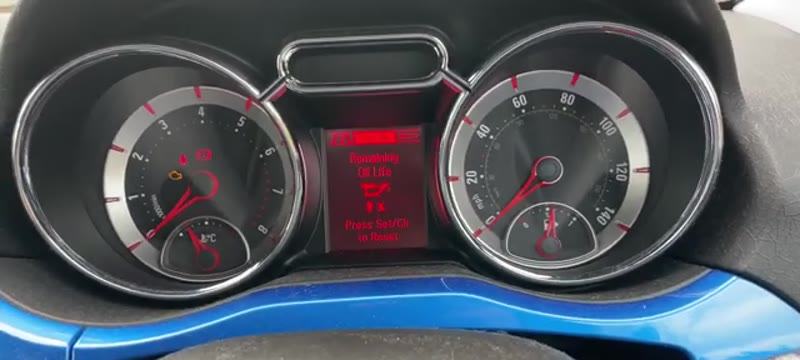
Scroll back to normal display and cycle the ignition
Scroll back through the menu to return to the normal display. Turn the ignition off and back on. The service light should now be gone.
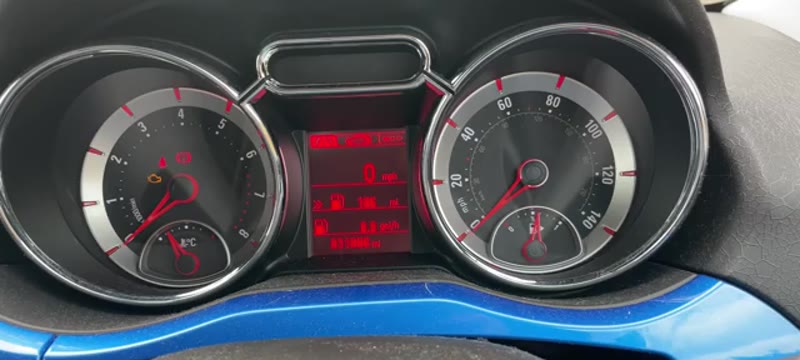
This stalk-button menu method is used on many Vauxhall models with a similar instrument cluster including Corsa, Astra and Mokka variants.
Common Mistakes & Things That Go Wrong
The Adam reset is straightforward but a handful of small errors keep the spanner symbol lit. The following are the ones I see most often:
Watch Out For These
- Wrong stalk button: The END button (end of the stalk) confirms the reset - pressing MENU instead just scrolls.
- Engine running: Reset only works with ignition on, engine off. Starting the engine cancels the menu.
- Skipping the "Yes" confirmation: If you let go of END too early the dash returns to normal but the counter is unchanged.
- Resetting on a partial service: Resetting without doing the oil and filter means the next-due figure is wildly wrong; reset only when the work is actually completed.
- Cheap Chinese OBD tool: Some budget scanners reset the warning DTC but not the underlying service counter - light returns within days.
- Reset attempted on certain early-build Adams before battery refit: A small number of 2013–2014 VIN ranges need the reset performed before the battery is reconnected after disturbance; otherwise the cluster locks the menu out.
- Holding END too long: Over ~15 seconds and you enter a hidden settings sub-menu, which can change display units to km on some cars.